
Optimizing your app requires understanding user behaviors and patterns, and Google Analytics is a good tool for the job. This is how you can integrate Google Analytics into your Ember JS app, step by step.
Let's dive in!
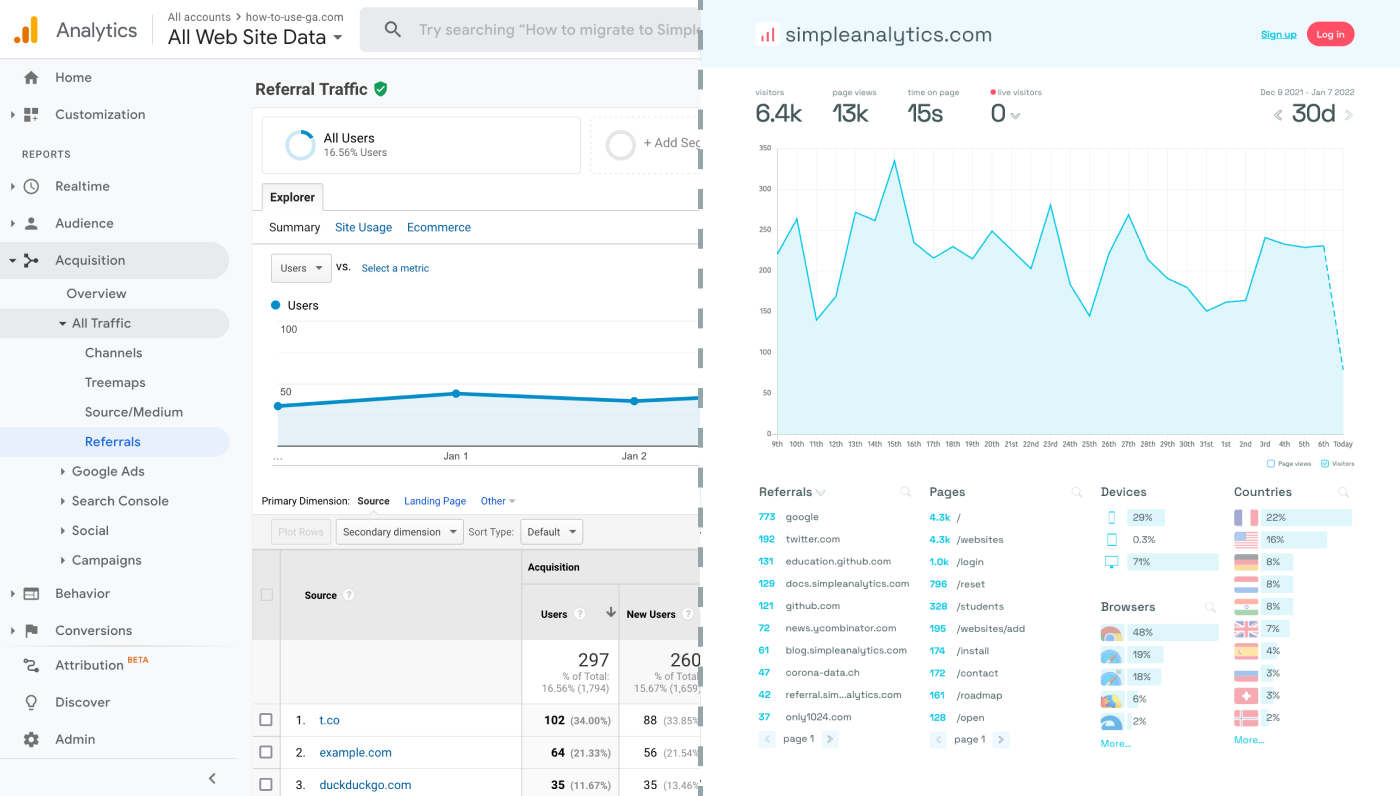
Before we dig in you need to know that Google Analytics is complex and a bit clunky. There are other options that give you the same insights in a slick and straightforward dashboard.
Simple Analytics is one of them. A privacy-friendly and simple analytics tool - just the insights you need in a straightforward dashboard. (And its also free yes).
All right, now let's get into answering your question!
Step-by-step integration
Set Up a Google Analytics Property
First, if you haven't already, set up a GA property. Log into your GA profile (or create one, if you haven't already) and create a new property. You will be given a "Measurement ID" (like 'G-XXXXXXXXXX'). Note this ID down, it will come in handy later.
Add Tracking code
Integrating Google Analytics with Ember JS involves several steps, mainly focused on incorporating Google Analytics' tracking code into your Ember application and configuring it to track page views and user interactions. Here's how to do this:
Install Ember-Metrics: Ember-Metrics is an Ember addon that simplifies the integration of tracking services like Google Analytics with Ember applications. Install it by running:
ember install ember-metricsConfigure Ember-Metrics: After installing ember-metrics, configure it by adding your Google Analytics "Measurement ID" to the
ember-cli-build.jsfile. This configuration allows ember-metrics to send data to your GA property.let app = new EmberApp(defaults, { // Add options here metricsAdapters: [ { name: 'GoogleAnalytics', environments: ['development', 'production'], // Specify environments config: { id: 'G-XXXXXXXXXX' // Your "Measurement ID" from GA4 } } ] });
Track Page Views and Events
To track page views across your Ember application, you can leverage the Router's didTransition hook. This can be done by extending the application router. In your app/router.js file, inject the metrics service and use it to track page transitions.
import Router from '@ember/routing/router';
import config from './config/environment';
import { inject as service } from '@ember/service';

   const RouterInstance = Router.extend({
     metrics: service(),

     didTransition() {
       this._super(...arguments);
       this.get('metrics').trackPage({ page: window.location.pathname });
     }
   });

   RouterInstance.map(function() {
     // Define your routes here
   });

   export default RouterInstance;
To track specific user interactions as events in Google Analytics, you can use the metrics service within your Ember components or controllers. Here's an example of how to track a button click event:
import Component from '@ember/component';
import { inject as service } from '@ember/service';

   export default Component.extend({
     metrics: service(),

     actions: {
       buttonClicked() {
         this.get('metrics').trackEvent('eventName', {
           eventCategory: 'Category',
           eventAction: 'Action',
           eventLabel: 'Label'
         });
       }
     }
   });
Create New Properties (Optional)
To track multiple apps, create new GA properties and use a different Measurement ID for each website. This prevents GA from conflating the data.
Final Thoughts
Adding Google Analytics to your app can give you great insights. However, ask yourself: is Google Analytics the right tool for you?
GA is an overpowered solution for straightforward analytics. If you're looking for a simple and intuitive dashboard with the insights you need, there are better alternatives.
If this resonates with you, feel free to give Simple Analytics a spin. You just need to add the script to your app and off you go. This takes about one minute- and there is a free version as well!
Enjoy!