
Whether you're setting up a membership site, a client portal, or an online store, understanding how visitors interact with your Softr creation is key to success. Integrating Google Analytics can help by providing you with plenty on insights on your traffic! So, here's how you can integrate Google Analytics- step by step.
Let's dive in!
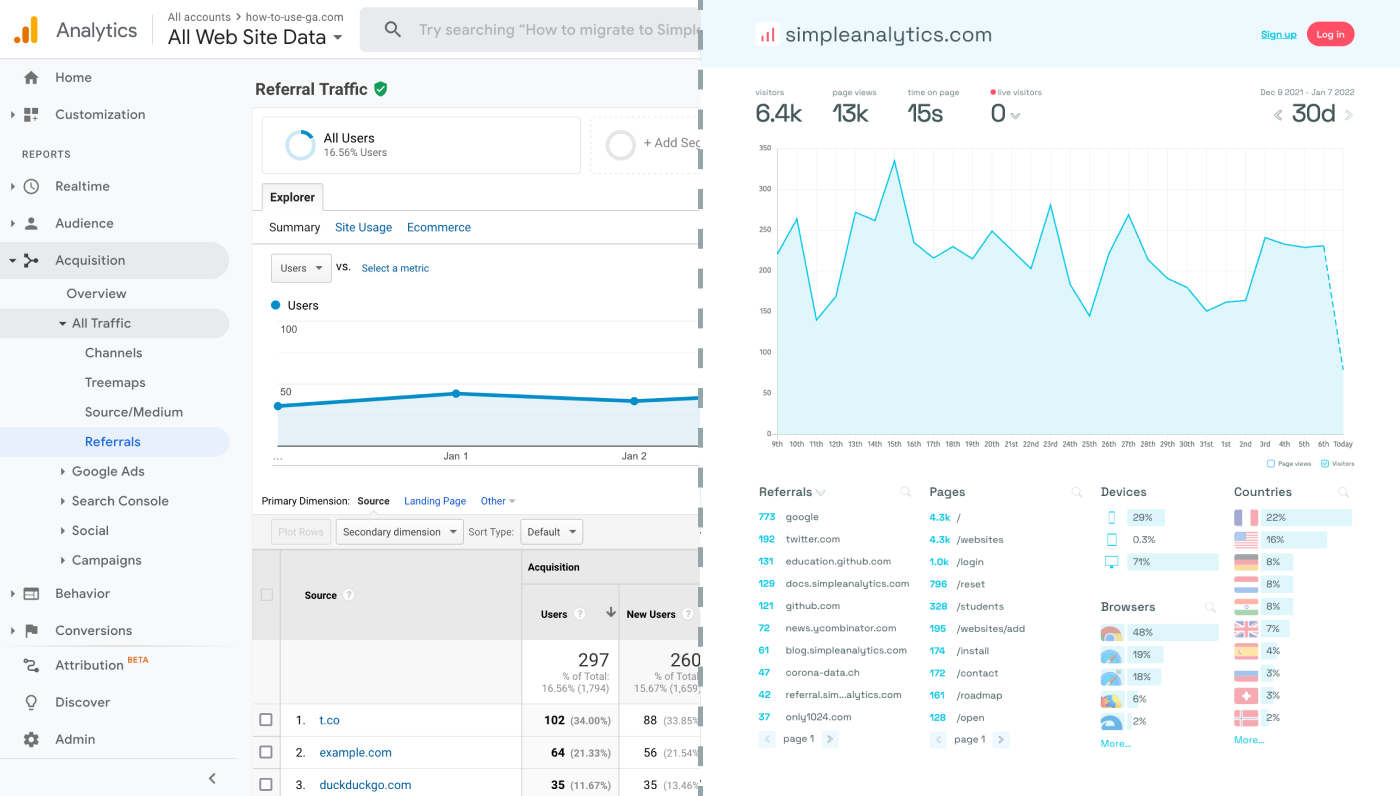
Before we dig in you need to know that Google Analytics is complex and a bit clunky. There are other options that give you the same insights in a slick and straightforward dashboard.
Simple Analytics is one of them. A privacy-friendly and simple analytics tool - just the insights you need in a straightforward dashboard. (And its also free yes).
All right, now let's get into answering your question!
Set Up Google Analytics 4
Before integrating Google Analytics with your Softr site, ensure you have a GA property set up. Here's how to create one:
- Navigate to the Google Analytics website and log in with your Google account. If you don't have one, you'll need to create it.
- Follow the steps to add a new property. Make sure you select "Web" as your platform type.
- Enter the details for your Softr site. Once you complete the setup, Google will provide you with a Measurement ID (starting with "G-"). Keep this ID handy for the integration process.
Integrate Google Analytics with Your Softr Site
Integrating GA4 with your Softr site is a straightforward process. Here's what you need to do:
- Log into your Softr account and open the site you wish to integrate with Google Analytics.
- Navigate to the Settings tab, and then select Integrations from the sidebar.
- Scroll down to find the Google Analytics section. Here, you will enter your GA4 Measurement ID.
- Save your changes.
- To track multiple websites, create new properties and use a different Measurement ID for each website. This allows GA to track your websites individually.
Final Thoughts
Adding Google Analytics to your website can give you great insights. However, ask yourself: is Google Analytics the right tool for you?
GA is an overpowered solution for straightforward analytics. If you're looking for a simple and intuitive dashboard with the insights you need, there are better alternatives.
If this resonates with you, feel free to give Simple Analytics a spin. You just need to add the script to your app and off you go. This takes about one minute- and there is a free version as well!
Enjoy!