Google Analytics Key terms

What are page views in Google Analytics?

Image of Iron Brands

Published on Jan 20, 2023 and edited on May 9, 2024 by Iron Brands

When we talk about Google Analytics, one of the fundamental concepts you'll encounter is "Page Views." Understanding this metric is crucial for anyone looking to gain insights into their website's performance.

Here is all you need to know about page views... or you could just use Simple Analytics. Simple and privacy-friendly. No complexity. No cookies. Just the data you need in a simple dashboard.

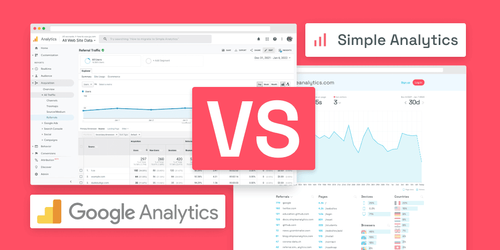
Google Analytics vs Simple Analytics

Alright, back to Google Analytics.

What are Page Views?

Page views in Google Analytics represent the total number of times a specific page on your website has been viewed. This metric counts every instance a page is loaded or reloaded in a browser. Here’s what you need to know:

  • Individual Page Tracking: Each time a user navigates to a different page on your site, it is counted as a new page view. This includes when a user refreshes the same page or navigates away and then returns to it.
  • User Session Impact: Multiple page views can occur within a single user session. For instance, if a visitor navigates to three different pages on your site, that would count as three page views.
  • Reloads and Revisits: Even if the same user reloads the same page multiple times, each reload is counted as a separate page view.

Importance of Page Views

Page views are a vital metric because they give you an idea of the overall traffic and user engagement on your site. By analyzing page views, you can:

  • Gauge Content Popularity: Identify which pages are most and least popular, helping you understand user interest and content effectiveness.
  • Monitor Traffic Trends: Track changes in page views over time to see how your site traffic is evolving.
  • Evaluate Marketing Efforts: Assess the impact of marketing campaigns or SEO strategies by observing changes in page views.

Caveats and Considerations

While page views are essential, they don’t give the complete picture of user engagement. Keep in mind:

  • Not a Measure of Reach: Page views do not differentiate between different users. The same user viewing a page multiple times is counted repeatedly. Unique Visitors are a better measure of your website's audience.
  • Quality of Engagement: High page views don’t necessarily mean positive engagement. Users might be reloading a page due to loading errors!

Final Thoughts

Understanding page views in Google Analytics is a stepping stone to better understanding your website's traffic and user engagement. This metric needs to be interpreted in light of other data like unique page views, time on page, and bounce rate.

Remember, while Google Analytics offers robust and complex tools for traffic analysis, its complexity isn't always the right fit for every organization. If you just want a straightforward dashboard with the insights you need, GA is not a great place to start. Additionally, Google Analytics is a privacy-invasive tool and requires an annoying cookie banner.

That's why we built Simple Analytics, a privacy-friendly and simple analytics tool - no personal data, no cookies, just the insights you need in a straightforward dashboard.

If this resonates with you, feel free to give Simple Analytics a spin (it's free). You just need to add the script and off you go. This takes about one minute.

Enjoy!

GA4 is complex. Try Simple Analytics

GA4 is like sitting in an airplane cockpit without a pilot license

Start for free now